Printable tattoo stencils and templates
Printable tattoo stencils only work if they come out of the printer at the exact size you drew them, and most printers quietly shrink them.
- A4 art printed on Letter with fit to page comes out around 94 percent. Letter art on A4 comes out around 97 percent.
- At 300 dpi, 1,181 pixels across is 10 cm. At 600 dpi the same 10 cm is 2,362 pixels.
- A transparent PNG prints with no background, so the paper colour shows through the gaps.
- Copyright in a drawing belongs to whoever drew it, including a design traced off a photo of someone else’s tattoo.
- Print scale100 percent or Actual size
- Reference paper80 to 100 gsm plain
- Transfer paper4 ply thermal, A4 or A5
- Check after printingRuler, before any skin

A printable stencil is a line drawing saved at a true physical size, usually as a PDF or a 300 dpi PNG, so one centimetre on the page is one centimetre on your skin. Everything else about the file matters less than that. A good design printed at 94 percent is the wrong tattoo.
AI Tattoo Lab exports black linework on a transparent background at the size you picked, which prints onto plain paper for a consultation or onto thermal transfer paper for the chair. Transparent areas print as nothing, so the paper itself becomes the background and there is no grey box around the design to cut away.
Paper and printer settings for a stencil
Two different prints come out of the same file. A reference print on plain 80 to 100 gsm paper is what you take to a consultation, and it only has to be the right size and dark enough to read. A transfer print goes onto four layer thermal paper through a thermal printer, and that one ends up on skin.
Avoid glossy photo paper for either job. Gloss holds wet ink on the surface, so thin lines bleed sideways and anything under 0.5 mm closes up before it dries. Card over about 160 gsm causes a different problem, since a stiff sheet will not follow the curve of an arm when you hold it against the placement to judge the size. Plain copier paper does that better than anything expensive.
| Setting | Set it to | Why |
|---|---|---|
| Scale | 100 percent, or Actual size | Fit to page rescales silently |
| Paper size | The same size as the file | A mismatch triggers automatic scaling |
| Colour | Greyscale or black only | Composite black prints thin lines cleaner |
| Quality | Best or photo | Draft mode drops lines under 0.5 mm |
| Margins | None or minimum | Wide margins force a shrink to fit |
| Auto rotate and centre | Off | Centring can crop a long vertical design |
Printing at true scale, where most people get it wrong
Set the scale to 100 percent and then verify it, because printer drivers override the dialog more often than they should. Put a 10 cm reference line in the file, print it, and measure that line with a ruler. If it reads 9.4 cm, the driver scaled A4 art onto Letter paper. Reprint with the paper size matched to the file.
The second check is the design itself. Measure the widest and tallest points of the printed piece, then hold it against the placement in a mirror. A forearm panel that looked right at 8 cm on a screen often wants 11 or 12 cm on the arm, and that is far easier to see on paper than to imagine.
Printable outline tattoo stencil designs that hold up
A printable outline has to survive both the printer and the skin. Printers lose the thinnest marks and skin loses the tightest gaps. Drawing at 0.3 to 0.5 mm line weight with at least 1 mm between neighbouring lines clears both, which comes to roughly 1 to 1.5 point in a vector program at final size.
Check these before you print
- Every line is closed, with no gaps where the pen lifted
- No doubled contour from tracing the same edge twice
- At least 1 mm of clear space between neighbouring lines, 2 mm on a hand
- No grey, no gradients and no halftone dots anywhere in the file
- The file is at the physical size you want, not scaled up on screen
Tattoo templates you print, and what your artist does with them
A printed template is a brief. Most artists will take it, change the proportions for your body, redraw the line in their own weight, and give you something that reads better in the same space. That is the job you are paying for, and it is why the same template looks different on two people.
The ownership question is simpler than people expect. A drawing belongs to whoever drew it, so a template traced off a photo of someone else’s finished tattoo is that artist’s work, and most tattooers will not copy it. A design you generated yourself is yours to bring in, and a flash sheet is drawn to be repeated. If you want one specific artist’s piece, book with that artist.
12 printable stencils, with the prompt behind each one
Every design below came out of AI Tattoo Lab. Tap one to load its prompt into the generator, then change a word and make it yours.

A luna moth with spread wings and long tails, outline only
Use this prompt
A tall stack of lavender, daisy and fern as outline stencil
Use this prompt
An eight point compass rose in a ring, outline stencil only
Use this prompt
A mountain range with pine trees and a river, outline stencil
Use this prompt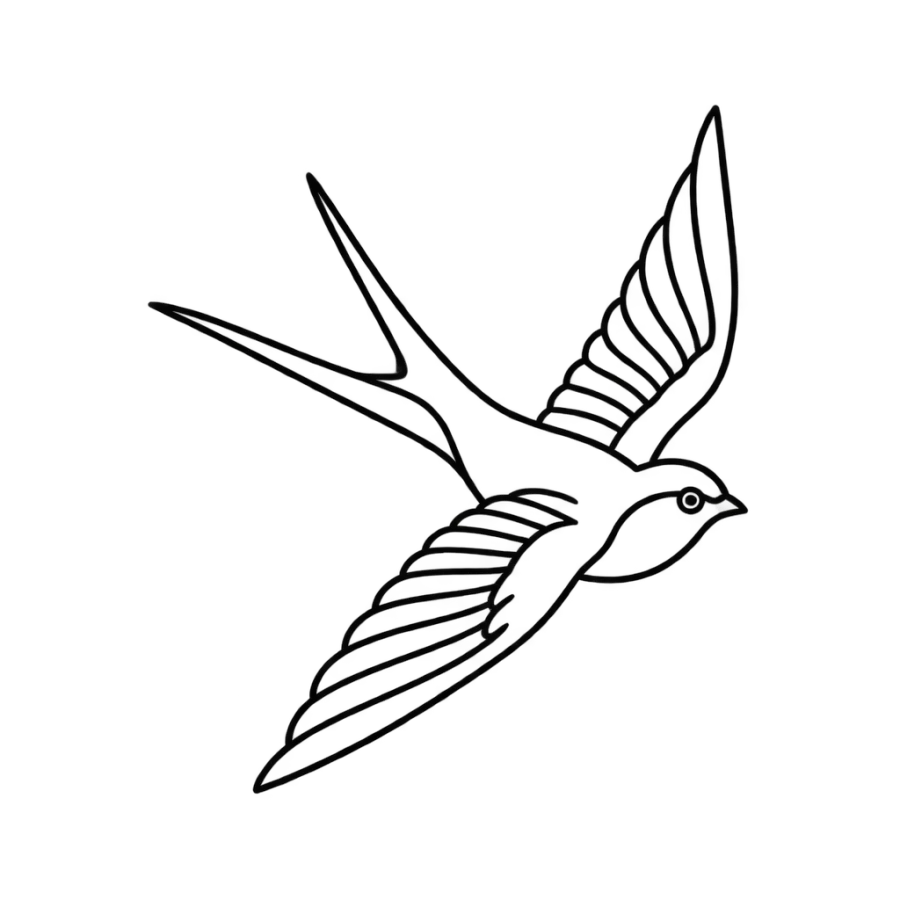
A swallow in flight with forked tail, simple outline stencil
Use this prompt
A sheet of five tiny stencils, star, moon, heart, key, bolt
Use this prompt
An hourglass in an oval frame with crossed leaves, outline only
Use this prompt
Two koi fish mirrored in a circle, pure outline stencil
Use this prompt
A snake coiled around a dagger, clean outline stencil only
Use this prompt
A butterfly from above with open wings, outline stencil only
Use this prompt
A crescent moon holding a sun face with three small stars
Use this promptDescribe an idea of your own and get four designs back in about 20 seconds.
Open the generator
Questions people ask
Can I print a tattoo stencil on normal paper?
Yes, for a reference print. Plain 80 to 100 gsm paper at 100 percent scale is enough to check size and proportion and to take to a consultation. Transferring onto skin needs four layer thermal paper, which your artist will have. Do not try to move an inkjet print onto skin with alcohol.
What are tattoo templates?
Pre drawn designs sized for a body part, printed or shared as files so they can be reused. A template is a starting point your artist resizes and redraws. Flash sheets are the studio version of the same idea, drawn deliberately so the design can be tattooed more than once.
How do I print a tattoo stencil at the right size?
Set the print dialog to 100 percent or Actual size, match the paper size to the file, then measure the result with a ruler. Never use fit to page or scale to fit. A4 art sent to a Letter tray shrinks to about 94 percent, which turns a 10 cm design into 9.4 cm.
Can I use a free printable tattoo stencil for a real tattoo?
You can bring one to an artist, who will decide whether it holds up. Free stencils are often scaled wrong, saved at low resolution, or drawn with lines too close together to survive. Check the gaps, print it at true size, and expect a redraw.
Does a transparent PNG print with a white box?
No, the transparent area prints as nothing, so you see the paper. If you get a white or grey box, the file was flattened onto a background somewhere between export and printing. Export again as a PNG with transparency, or save a PDF with the line kept as vector.